OptiCall™ Paging Systems in use

Our Opticians paging systems are completely unique and originally developed specifically for the busy Opticians environment. The 3-way handover is one of the most important aspects of the customer experience. The OptiCall™ pager system is a method that has been used successfully throughout the UK to communicate when a handover in test rooms is required. The results are astounding.
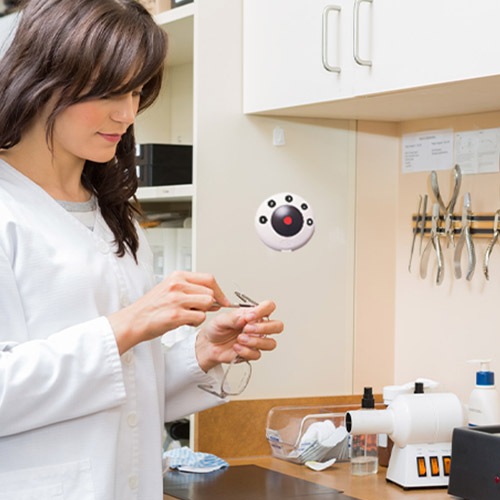
The pager system is a simple piece of equipment that enables Optometrists to alert the dispensing team when a customer has had their sight test and requires further assistance. In its most basic form the paging system will have a pager button in the test room that the Optometrist uses to activate a pager which is carried by an Optical Assistant.

Shortly before the Optometrist completes the test, the Optometrist can page the Optical Assistant who comes to the test room for the 3-way handover. The majority of stores that have tried the Opti-Call Opticians paging system are now opting to use the multi-button OptiCall pager system that lets the Optical Assistant know which test room is paging from and what, (if anything) the customer is likely to purchase. This is the preferred method currently throughout the UK.

Feedback from most major Opticians organisations based in the UK from stores and customers confirm that the most effective 3-way handovers are carried out in the test room. Customers generally feel more at ease in the test room, and by conducting the handover away from the shop floor it enables all three parties to discuss and understand the customer’s requirements without being disturbed. Where OptiCall™ pager systems are used in stores, Optometrists report that they are able to conduct a far more professional handover, giving the customer more confidence that they are being advised correctly.

The Optometrist will usually activate the pager three to five minutes before the sight test is complete which enables the Optical Assistant time to finish what they are working on or, if they are busy they can arrange for another member of staff to take the handover for them. Subsequently, the dispense process carries on as normal and the Optometrist takes their next customer.

There are many hundreds of Opticians around the UK now using a pager system in conjunction with the 3-way handover that continue to report an increase in sales as well as improvements in customer service and overall satisfaction. Using an OptiCall™ pager system will enable teams to conduct more structured handovers that will without doubt result in increased conversion rates and dispense values as well as significantly improved customer service. The stores that already have the pager system have confirmed that the 3-way handover has massively improved and many users comment:

  • Increased conversion rate by up to 5% on average
  • Increased average customer spend by between £10 to £25 on average.
  • Improved customer service substantially
  • Improved professionalism substantially
Who can use OptiCall

There are a number of ways to work with the OptiCall™ pager systems and here are the three preferred styles that have proved to be most successful. It is possible to use any of these styles of system, but the 'Whole Team' system is the most widely used in the UK.

person

Manager OptiCall Paging System

Each test room has a pager button but there is only one pager which is held by the store manager. When the pager is activated the manager delegates an Optical Assistant to go to the test room. The main advantage of the manager led OptiCall™ system is that there is always someone controlling the Optical Assistant team and the manager can decide which team member would be most appropriate to take over the dispense.

people

Buddy OptiCall Pager System

The OptiCall™ pager system is set up in such a way that each test room alerts a specific dispenser or more usually number of dispensers.The advantages of the Buddy System is that it builds a team rapport and brings an element of competition to the business; the downside is that it can be
difficult to ensure that sufficient cover is available for the whole day.

groups

Whole Team OptiCall Paging System

Each OptiCall™ pager Transmitter (in each test room) will activate all the pagers and the next available Optical Assistant will go to the test room to meet the customer. Whilst this has the benefit of having more staff available it can give less keen members of the team the opportunity to rely on their colleagues. When utilising any of these methods of using the pager system, it is always important to make staff aware of how the OptiCall™ pager system is set up so that provision can be made for busy times such as lunch or breaks and to ensure that they understand what the expectations of staff are.
.

Setting Up OptiCall

The OptiCall™ five button system can be set up in a number of ways that will allow determination whether a particular member will be better suited to taking the customer. An example of different alerts is as follows:

  • Sight test only
  • Dispense
  • Multifocal Dispense
  • C/L Action
  • Fields/Fundus
  • Panic

The OptiCall™ Transmitter pager button can send a message every 60 seconds until answered. However the system can be set up just to page the staff once if preferred.

If the re-page is active and you are operating a “buddy” system on first buzz, all free members of staff will look at their pager. If it is not a call from their ‘buddy’ then they carry on with what they are doing.
When the message from the OptiCall™ Transmitter repeats itself 60 seconds later, that is a trigger for all free staff to assume that the proper buddy is busy and that they will go and take the handover.
Once the handover is completed the member of staff that has answered the call to the test room can simply swipe the pager over the OptiCall transmitter, which then cancels the re-paging and sends another message to all pagers to say that handover has been handled.


Contact Us

setting-up-opticall
call-buttons-opticall-for-opticians